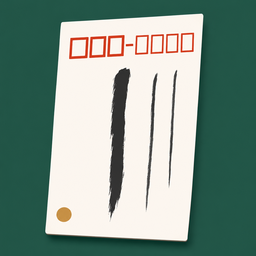
iPhone・iPad・Android の宛名印刷アプリ

はがきも封筒も、
縦書きの宛名をきれいに。

住所録を1つ持って、はがきや封筒を先に選び、実寸の下見のとおりに印刷します。郵便番号を入れると住所が出て、郵便番号の枠には 0.5mm ずつ合わせられます。広告も登録も通信もありません。

App Store・Google Play で配信予定

買い切りで全部の機能が使えます。アプリ内課金・サブスクリプション・広告はありません。
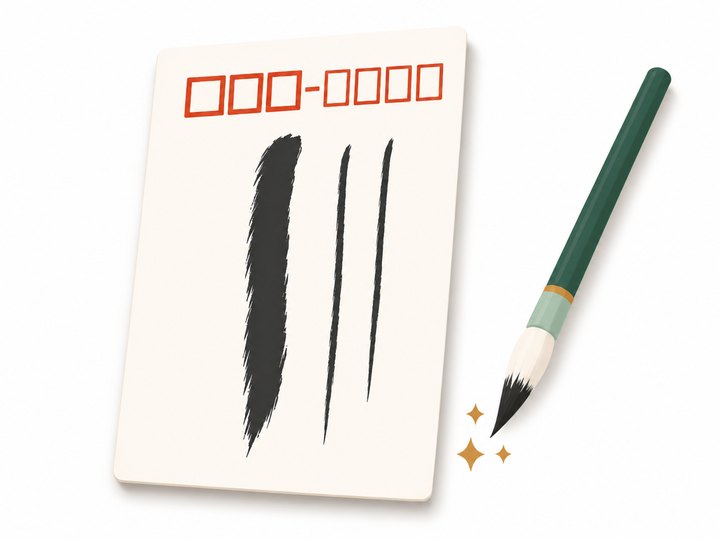
縦書きの宛名のはがきと、筆のイラスト

こんな困りごとのために

広告で印刷までたどり着けない

ふみばこに広告はありません。宛名を選んで、そのまま印刷や PDF にできます。

はがきの大きさを選べない

はがき・往復はがき・長形3号・長形4号・角形2号・洋形2号を先に選びます。下見はその用紙の実寸の形で、印刷も同じ大きさです。

郵便番号がずれる

枠の位置は日本郵便のマニュアルの寸法から始めて、用紙ごとに 0.5mm ずつ合わせられます。普通紙の試し刷りに、はがきを重ねて確かめられます。

住所録が消えた

毎日の控えを iCloud Drive に置きます(30日・どの日にも戻せます)。控えのファイルと CSV の書き出し、ゴミ箱もあります。

連名のバランスが悪い

連名は3人まで。名字は1つで、名前の下をそろえます。名前と住所の長さから文字の大きさを決め、はみ出しません。

住所を打つのが大変

郵便番号を入れると住所が出ます。日本郵便の郵便番号データを端末の中に持っているので、通信しません。連絡先や CSV からも入れられます。

できること

用紙はがき・往復はがき・長形3号・長形4号・角形2号・洋形2号
宛名縦書き(洋形は横書きも)・番地の漢数字・連名3人・会社名と部署・敬称(様・御中・先生・殿・なし)
郵便番号郵便番号から住所(端末の中の日本郵便のデータ)・枠の位置を用紙ごとに 0.5mm ずつ・試し刷り
住所録グループ・検索・今年の印(出した・届いた・喪中)・連絡先と CSV から・差出人を複数
印刷AirPrint のプリンターに用紙の大きさを渡して印刷・選んだ人の分を1つの PDF に
データ登録・通信なし・iCloud Drive に毎日の控え 30日・控えのファイルと CSV の書き出し・ゴミ箱

郵便番号のデータは、日本郵便が公開している郵便番号データ(日本郵便は郵便番号データの著作権を主張していません)をもとにしています。使い方・プライバシーポリシー・利用規約もご覧ください。

Address printing for iPhone, iPad and Android

Clean vertical addresses
on postcards and envelopes.

Keep one address book, choose the postcard or envelope first, and print exactly what the full-size preview shows. Type a postal code and the address appears; fine-tune the postal-code boxes in 0.5 mm steps. No ads, no account, no network.

Coming to the App Store and Google Play

One purchase unlocks everything. No in-app purchases, subscriptions or ads.

Illustration of a postcard with a vertical address and a brush

Made for these problems

Ads get in the way of printing

Fumibako has no ads. Pick the addresses and print or make a PDF right away.

No postcard size to choose

Choose a postcard, reply-paid postcard, Naga 3, Naga 4, Kaku 2 or You 2 envelope first. The preview is that paper at full size, and printing uses the same size.

Postal codes print out of place

The boxes start from Japan Post's published dimensions and can be moved per paper in 0.5 mm steps. Test print on plain paper and lay the postcard over it.

The address book disappeared

A daily backup goes to iCloud Drive (30 days, restore any day). You can also export a backup file or CSV, and deleted entries wait in the trash.

Joint names look unbalanced

Up to three joint names share one family name and line up at the bottom. Font size fits the name and address so nothing overflows.

Typing addresses takes forever

Type a postal code and the address appears, from Japan Post's postal code data stored on the device. You can also add people from Contacts or import CSV.

What it does

PaperPostcard, reply-paid postcard, Naga 3, Naga 4, Kaku 2, You 2
AddressesVertical writing (horizontal for You 2 too), kanji numerals, three joint names, company and department, honorifics Sama, Onchu, Sensei, Dono or none
Postal codesPostal code to address on the device, box position per paper in 0.5 mm steps, test print
Address bookGroups, search, this year's marks (sent, received, in mourning), Contacts and CSV, several senders
PrintingAirPrint with the paper size set, one PDF for everyone you choose
DataNo account or network, daily iCloud Drive backups for 30 days, backup file and CSV export, trash

Postal code data comes from Japan Post's published postal code data (Japan Post does not claim copyright on it). See also Help, Privacy Policy and Terms of Use.